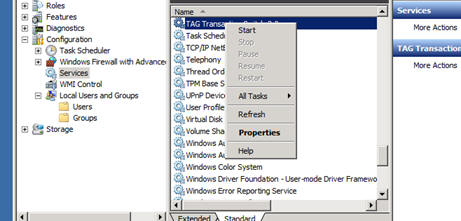
Which version of the TAG Transaction Switch do I have installed?
- Navigate to the root of your C: Drive on the server running your TAG Software
- If you have a folder named Switch, you have the TAG Switch v1.5 – see Restarting the TAG Switch v1.5 section below.
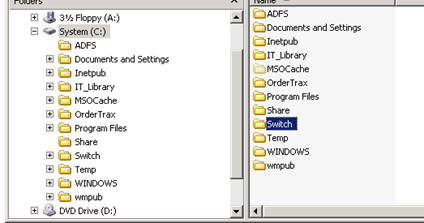
- If you have a folder named Switch3, you have the TAG Switch v2.x – see Restarting the TAG Switch v2.x section below.
- If you have neither of these, you have the TAG Transceiver – see TAG Transceiver Administration.
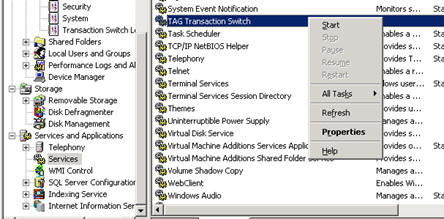
Restarting the TAG Switch v1.5
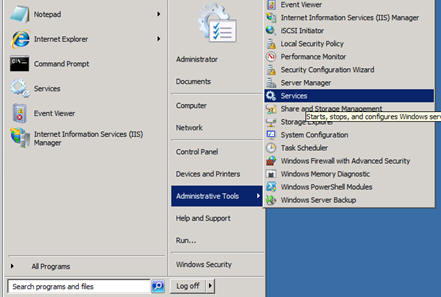
- Click Start -> Administrative Tools -> Service
- Scroll down to TAG Transaction. Right-click and select Stop
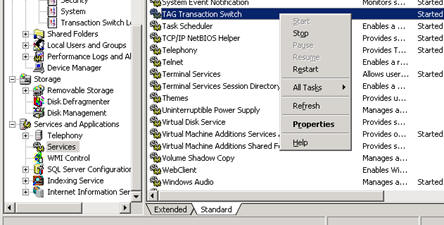
- Next, right click again and select Start
Restarting the TAG Switch v2.0
- Click Start -> Administrative Tools -> Service
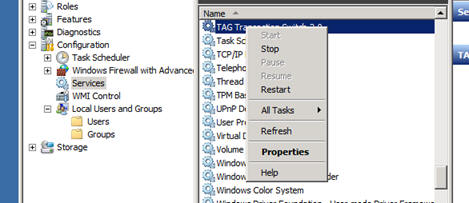
- Next, right click again and select Start